Once your Course Readings is complete, you can incorporate a section from your list into any Canvas course module.
Note: This is optional and allows you to include relevant library resources directly into your Canvas course modules.

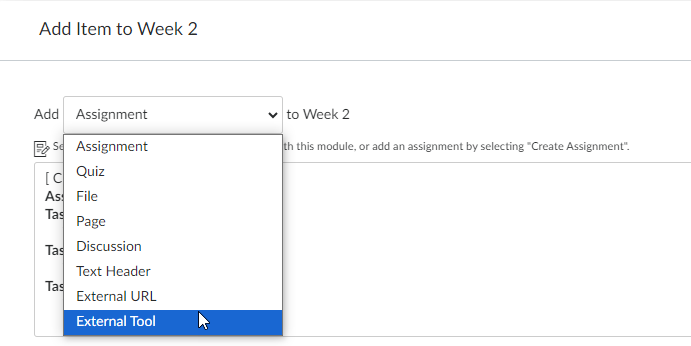
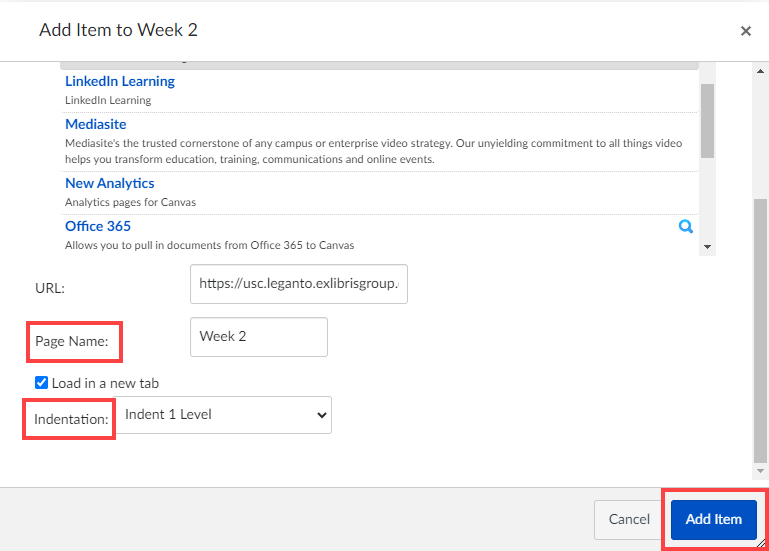
Note: you can edit the item in the Module to change the Title, Indent and Tab options, however you cannot change which section it links to. To edit, select the ellipses menu located on the right of the item.
If you need to link to a different section in your Reading list, you will need to Add a new item (Step 1) and complete the process again.
Once your Course Readings are complete, you may incorporate an individual or group of items from your reading list into Canvas course pages. You can choose whether to insert items into an existing course page or create a new page specifically for your items.
Note: this is optional and allows you to include relevant Library resources into specific course pages.
When you import an item into Canvas, it will form a link to the item and provide brief details about the resource.

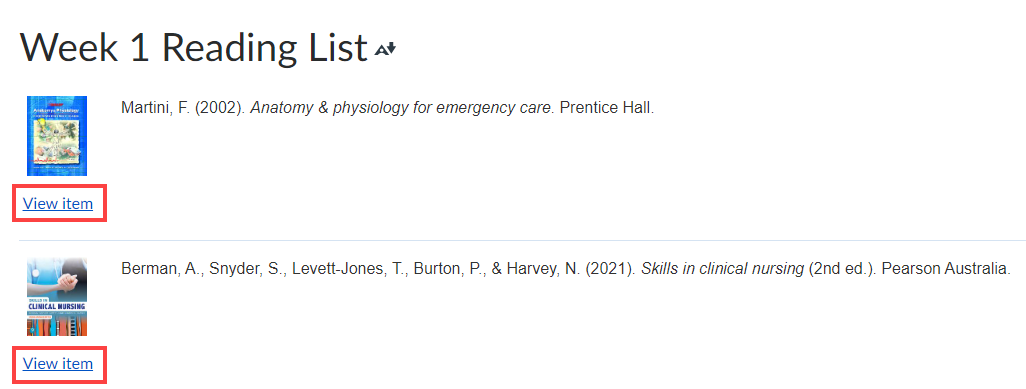
Note: item images may occasionally appear as broken. If you wish to replace a broken icon with another option, follow the steps below.
