Find information on this page for adding, editing and hiding an impact record in Research Bank.
Log into your researcher profile in Research Bank (https://research.usc.edu.au)
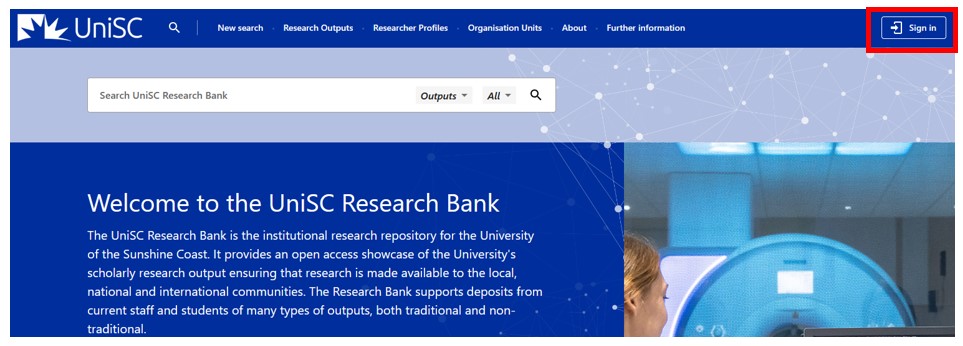
Click the +Deposit Output button in the top right, then click Projects and Impact
Note: adding new impact records is not supported on smaller mobile devices.

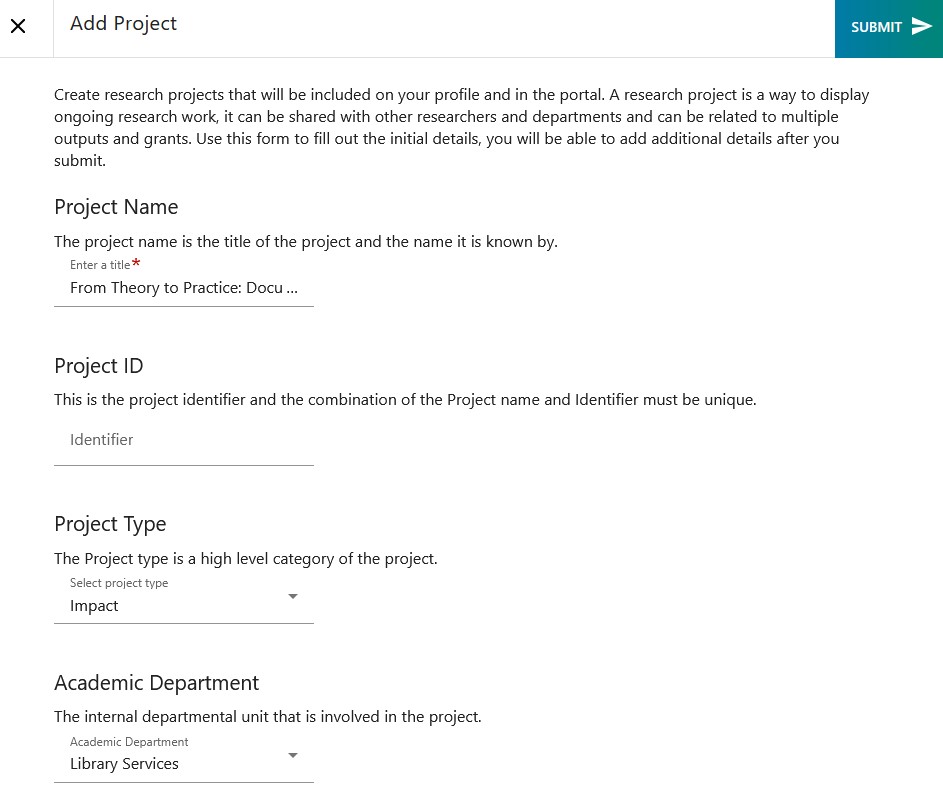
The initial form will allow you to specify the basic project metadata. Only the project name is mandatory.
| Field | Description |
|---|---|
| Project name (mandatory) | Enter a short title for the impact record. The title is limited to 300 characters. |
| Project ID | Not required, however you may have an identifier used for the work. |
| Project type | Select Impact |
| Academic department | Select any relevant UniSC schools, research areas or departments. |
Click Submit once you have entered the details.
Once you have clicked Submit on the initial form, you will see the following screen:
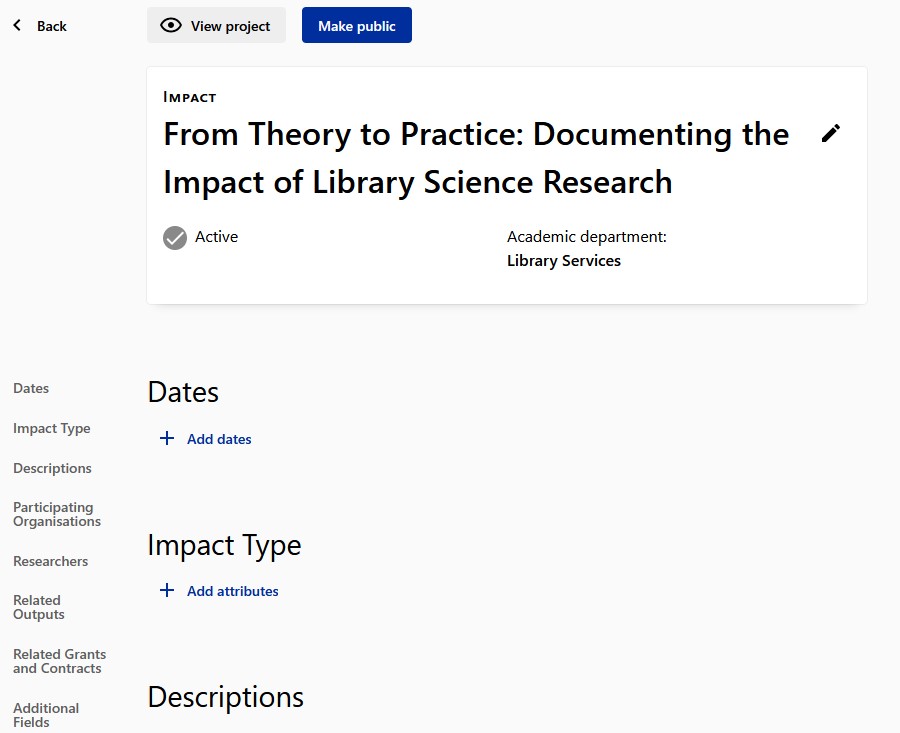
Click the pencil icon next to the Title to update the project metadata.
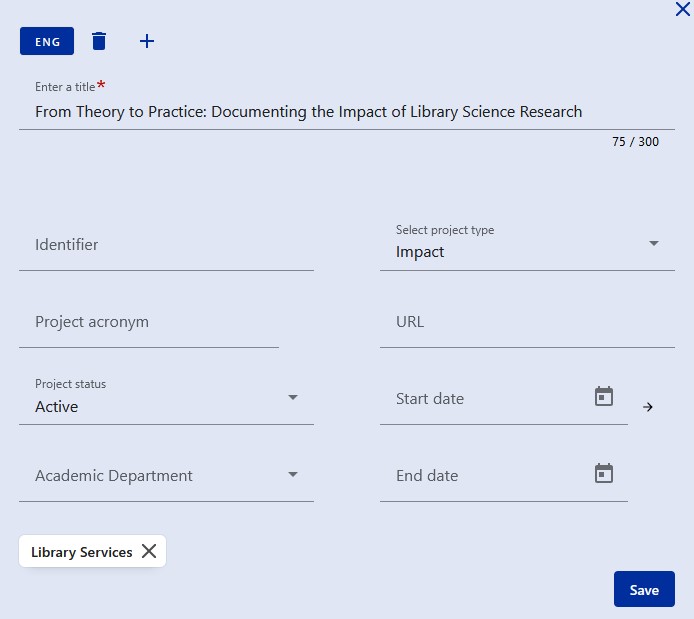
Once you have saved the project metadata, you will be able to edit all remaining fields by scrolling down the page.
Please use the information below to complete the relevant sections.
| Field | Description |
|---|---|
| Dates |
These dates can be used to help illustrate the pathway to impact and can include reporting dates, milestone dates, etc. More detail around what is to be delivered on each date can be added within the significant milestone field. NOTE: The type of dates to be used are listed alphabetically, so to add a “start date” you will need to scroll down in the list to the bottom. If the impact is complete the researcher should ensure a Finish date has been added to the record. |
| Impact type | Category of Impact (Cultural, Economic, Educational, Environmental, Health, Legal, Manufacturing, Public Policy) |
| Description (Impact Summary) |
Provide a short narrative to describe the research impact and include the significance of the impact, underpinning research, specific contributions of key researchers, end-user/next user/beneficiaries who have benefitted from the research and the dates/time period in which the impact occurred. Evidence to support claims in your impact summary should be included in the impact record, including: related outputs, related grants, related media, related activities, files and URL links. |
| Description (other types) |
Several other types of description which can be used to capture other information. The general description is what will be shown on the summary page of all of your project and impact records. Evidence to support claims in your impact summary should be included in the impact record, including: related outputs, related grants, related media, related activities, files and URL links. |
| Participating organisations |
List organisations involved. Note: There are internal and external organisation types indicated by the radio buttons. Note: if an organisation you wish to add is not listed, please email research-repository@usc.edu.au |
| Researchers |
List researchers involved. Note: you can set the start and end date of their involvement. Note: When you add a researcher, they do not get notified. However, the impact record will show up on their profile. |
| Related outputs |
List associated research outputs – publications, books, etc. Note: the related output must be listed in the Research Bank. |
| Related grants and contracts |
List associated Research Grants. Note: the related grant must be listed in Research Bank. Search by either the grant ID, which may be the ResearchMaster ID or the funder ID), or grant title. |
| Additional fields (Primary Field of Research Code) | Add the primary Field of Research code. |
| Additional fields (Impact Beneficiaries) |
Add a record for each impact beneficiary. Include details of stakeholders, end users, next users, community groups, organisations that have benefitted, been affected, or impacted on. |
| Additional fields (Sustainable Development Goals) |
Add a record for each SDG code relevant to the research impact. Please add SDGs in the following format: SDG 15 Life on Land |
|
Additional Fields (Country of Impact) |
Add a record for each relevant Country involved. |
| Keywords and Field of Research |
Add all relevant FOR codes. Add all relevant research keywords, pressing enter after each keyword. |
| Files and links |
Add links/files/pictures/testimonials, etc, as evidence of your impact. If you do not wish the file or link to be available on the public record, choose the Access Rights Policy = Closed. You can also set the date on which the evidence was published. This is highly recommended. |
| Related activities |
List any related activities associated with the impact. Note: the related activity must be listed in Research Bank. |
| Related media |
List any related media mentions associated with the impact. Note: the related media mention must be listed in Research Bank. |
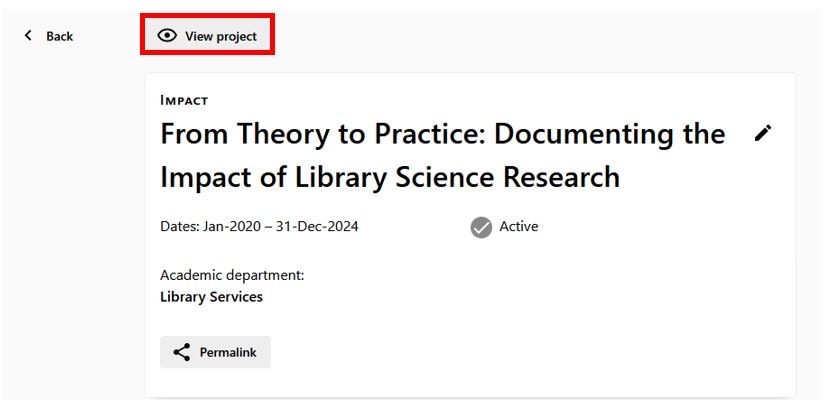
When you have completed the project record, scroll to the top of the page and click View project to see how the impact record will look to the public.
If you are happy with the content and have reviewed it, you can make the impact record public by clicking the Make public button. Once the record has been made public, it will show up on the researcher profile for all associated researchers.
Note: editing existing impact records is not supported on smaller mobile devices.
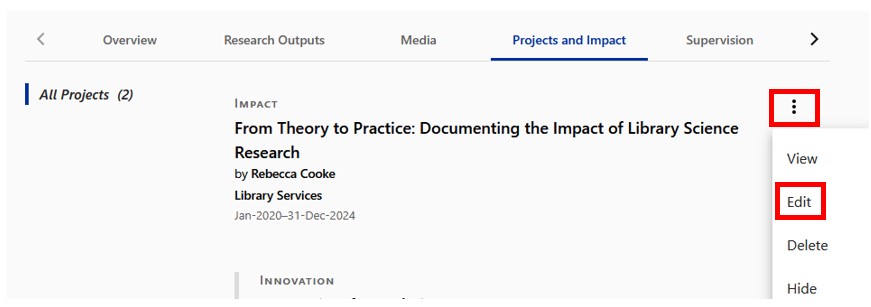
From your researcher profile in Research Bank (when signed in), go to the Projects and Impact tab.

Click the three dots next to the project you wish to edit, and click Edit
Click View project
Click Edit project
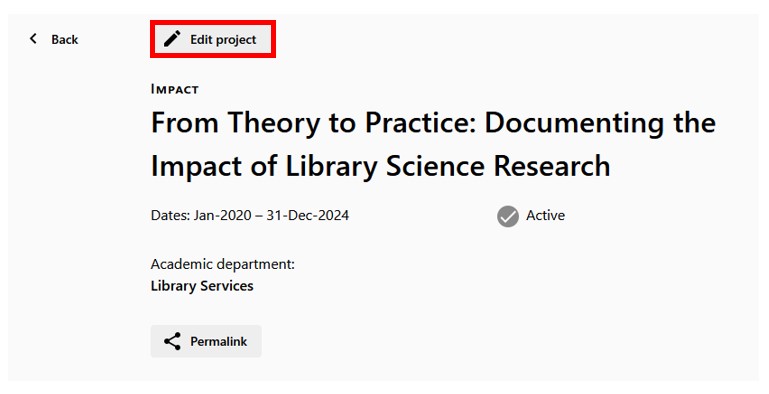
Use the table above to update the fields you wish to modify.
If you would like to hide an impact record for your profile, click the three ellipses next to the record you wish to hide, and select Hide from the drop down menu.
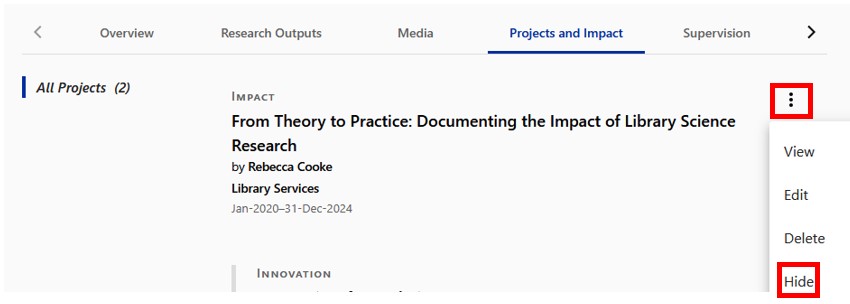
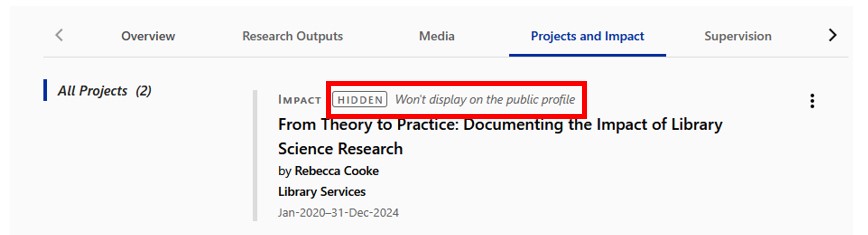
NOTE: This impact record will still show up on the profiles of associated researchers and within the Research Bank search results. To remove the record completely, please contact research-repository@usc.edu.au.
If you have any questions about research impact, please contact your Librarian or Julie Ward, Research Impact Manager.
