Skip to Main Content
USC logo

DIY Games for Non-Hackers

About GitHub and GitHub Pages

GitHub started out as a place for programmers to share code, but these days people are hosting their entire website via GitHub.  It is free to create an account, and although there are limits to the size you can upload (50MB and 100 files at a time), it will be more than enough to store your game files from Construct2 or Twine.

Create a new repository for each of your games.
Upload your game and publish in minutes

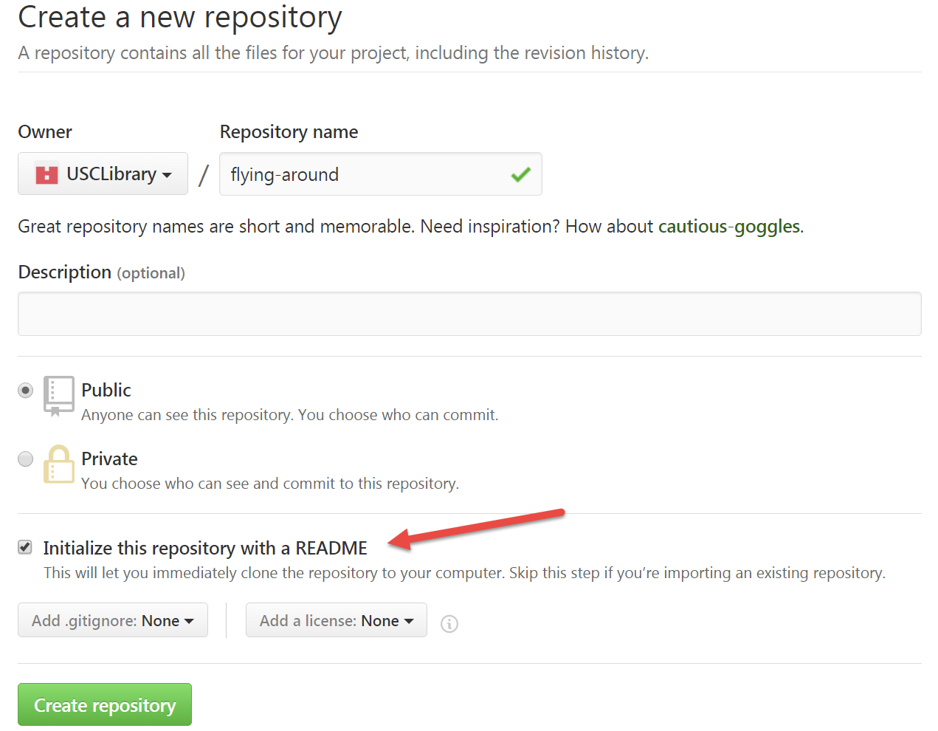
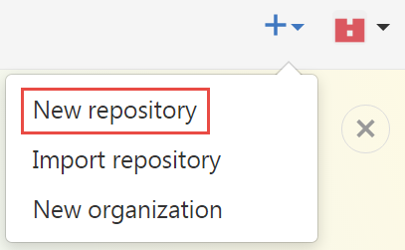
After creating an account and logging in, select New Repository

The name will become part of the URL (use hyphens not spaces) - add the README file

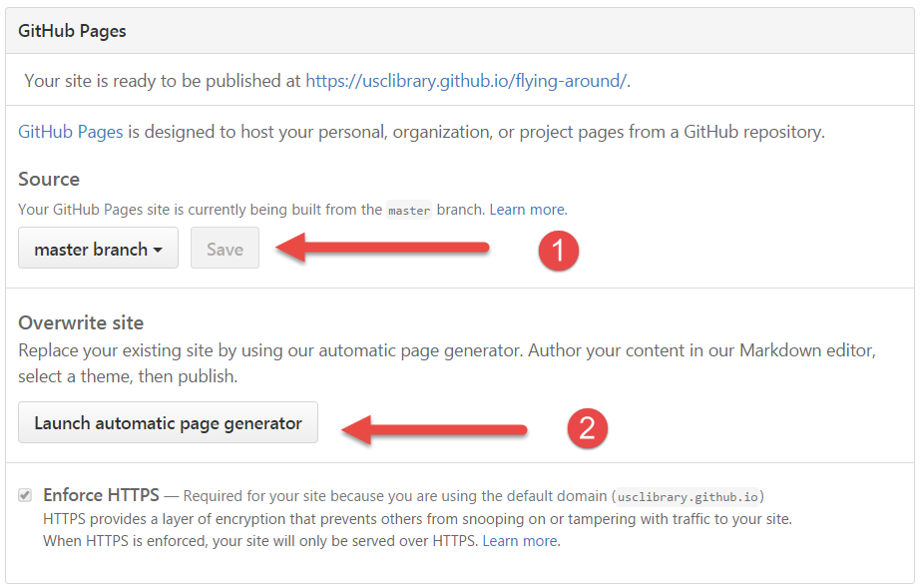
Go to Settings to create Pages

Set to Master Branch (save) then Launch Generator

Scroll down and Continue to layouts

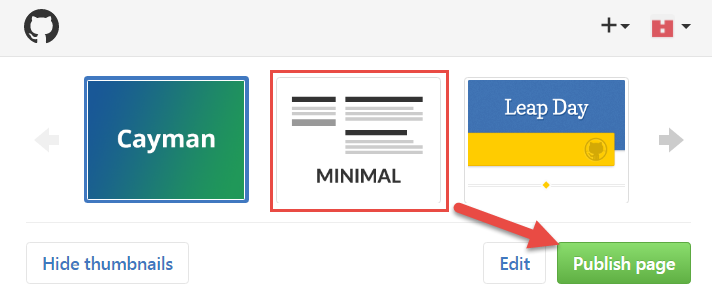
Select a layout and Publish page

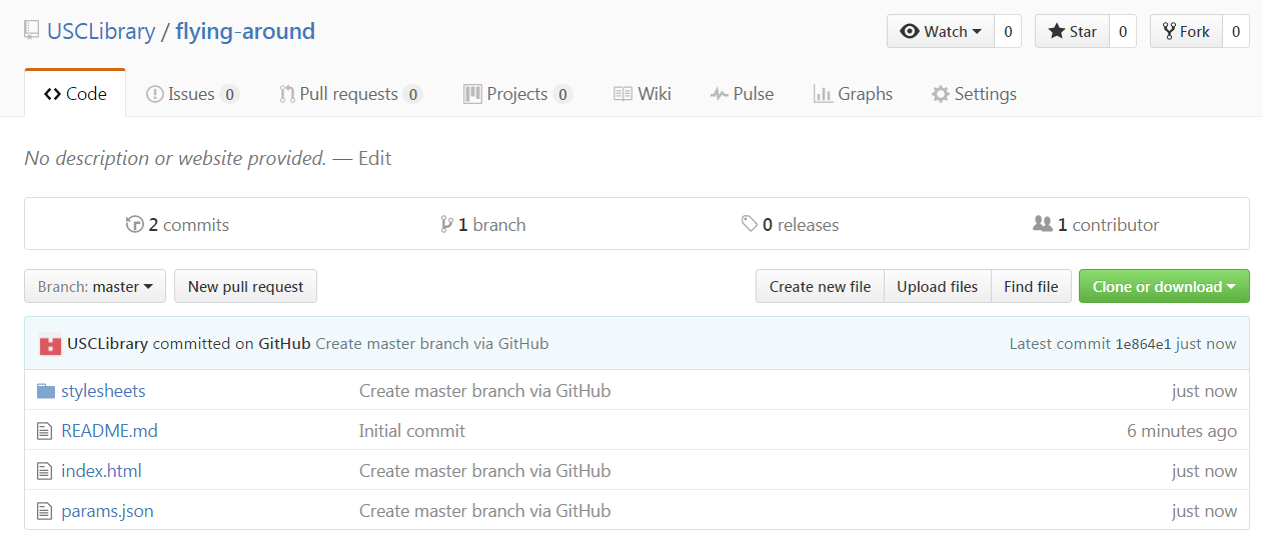
Now you are ready to upload files

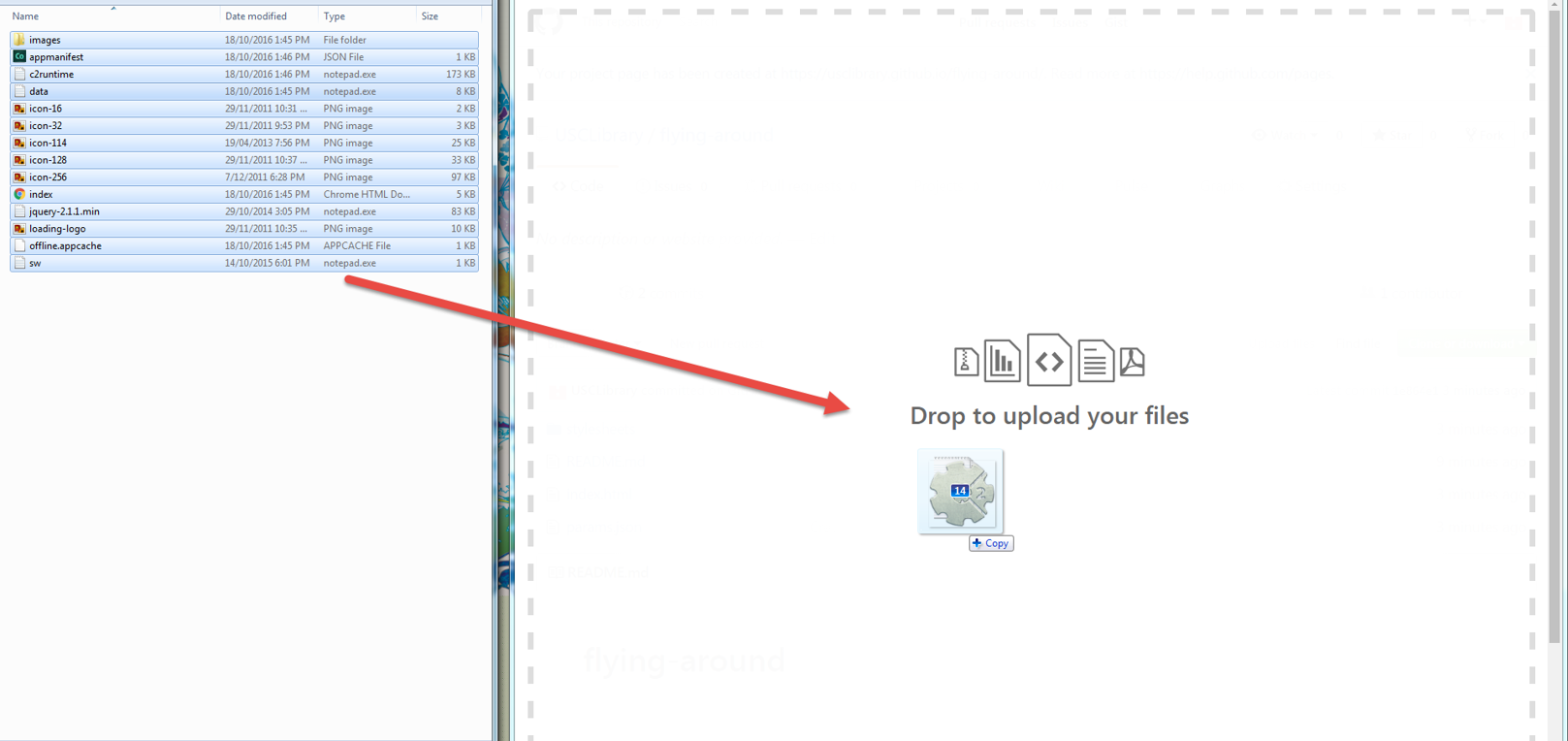
Open Windows Explorer and select all game files - drag and drop them into GitHub

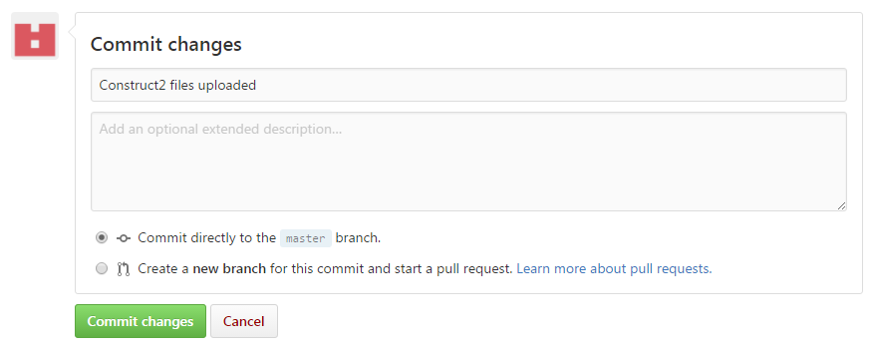
Commit the changes (include a description about these files)

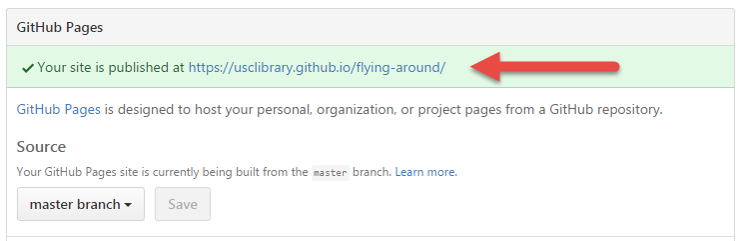
Find your game URL under Settings

© University of the Sunshine Coast, Queensland, Australia | ABN 28 441 859 157 | CRICOS Provider No. 01595D