- Login to Library Search.
- Search the Library Resources for an item.

- If you don't find the item you wish to request, select Expand your search to other libraries.
- Find the item you wish to request, then select Note: See request options from other libraries.
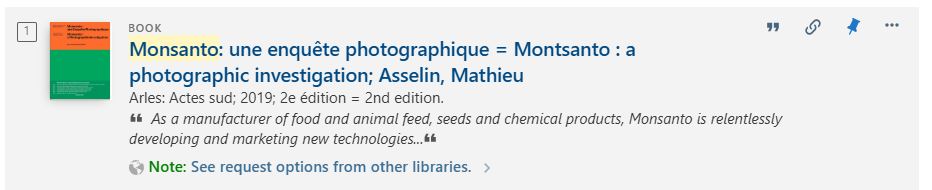
- Select the option to either Request a physical copy or Request Digitisation.

- For physical copies, select your pick up location and add any notes you feel are relevant to this request. Select Send.
- For digitisations, edit the form to include details of the chapter or pages you are requesting. Add any notes you feel are relevant to this request. Tick the box to acknowledge this request meets copyright law limits, and select Send.
Delivery method
Article and book chapters will be supplied via email to your UniSC email account. Some material may be supplied under licence conditions which may prevent supplying to you in a digital format. If this is the case, the material will be made available in physical format for collection from your selected UniSC Library location.
Physical loans will be made available for collection from the library of your choice, as indicated at the time of requesting. You will receive an email with details about how to collect the item from chosen UniSC Library. The loan period on physical loans are determined by the lending institution and are not renewable.
Still can't find what you're looking for?
If the expanded search doesn't locate the item you wish to request, select Still didn't find what you need? Use the request form.
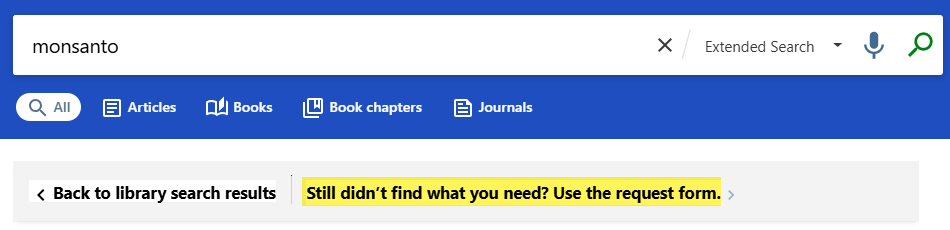
This will open a blank request form which you will need to complete. Please provide as many details as you can to help the library locate the resource you are requesting.
Book/Book Chapter requests
This is the default setting for this form and will request a physical book from another library.
- Tick the box if you prefer to receive a digitisation of specific pages/chapter.
- You may change the pick up location if needed.
- Tick the copyright acknowledgement statement at the bottom of the form, and then Send Request.
Article requests
- When requesting an article, if you know the DOI or PMID (PubMed ID), enter those in the field provided and select Auto fill to populate the form.
- Otherwise, fill out the form with as much detail as you can.
- Articles are only available in digital format.
- Tick the copyright acknowledgement statement at the bottom of the form, and then Send Request.
